Choosing the best monitor for CCTV camera systems is one of the most important decisions you will make for your security setup. Whether you protect a home, office, shop, or warehouse, your monitor choice affects what you see on camera. It also affects how well you can identify and respond. At IT Security India, we help you make the right choice at the best price — call us today at 999 972 5655 and let our experts guide you.
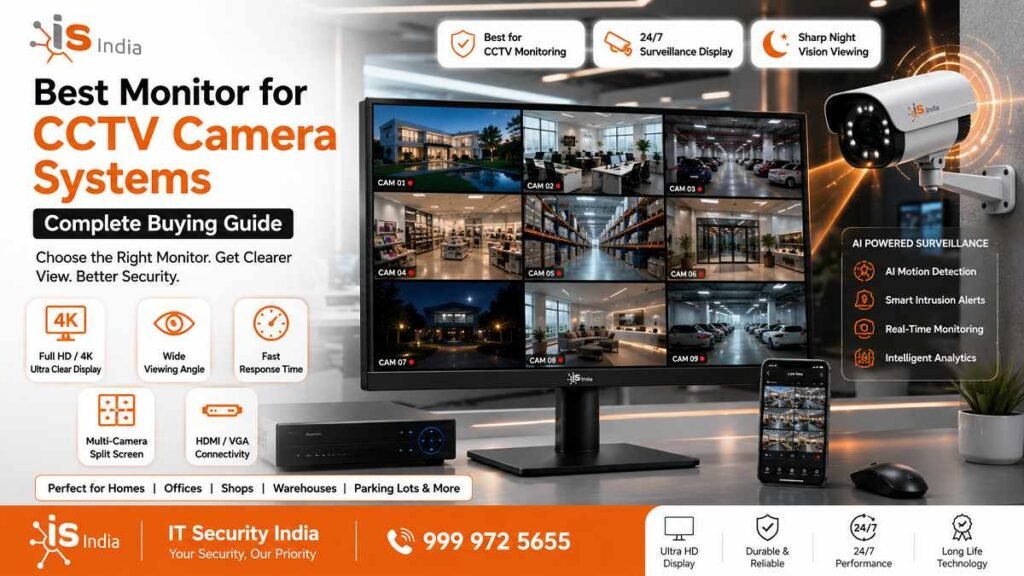
Why Choosing the Right CCTV Monitor Matters
Difference Between Normal Monitors and CCTV Surveillance Monitors
Not every screen is built for security work. A regular monitor is made to run 4 to 6 hours a day. A dedicated CCTV monitor is built to run 24 hours a day, every day. This is the most important distinction between the two. CCTV monitors use commercial-grade power supplies. They have brighter backlighting.
They also make use of robust internal components. They can withstand constant electric stress even during 24-hour usage. A common consumer monitor in the CCTV setup will rapidly decrease in brightness. It might show image ghosting caused by the camera grid static. It also has an extremely short lifespan. A genuine surveillance monitor provides precise shades. This allows you to determine the color of clothing, vehicle shades, and license plate numbers. Consumer TVs typically boost colors to entertain, but not for accuracy.
How Monitor Quality Affects Security Monitoring
A bad monitor can render even the most powerful CCTV camera system useless. Insufficient resolution can make images unclear. Washed-out colors can hide important details. Limited viewing angles can make the screen hard to see from certain angles. Operators and guards may miss crucial information in real time. Research on surveillance systems shows that poor displays can delay threat detection. They also increase human error. If your monitor is set up to be monitored, you will be able to identify faces and see plates. It is also possible to spot suspicious behavior before the incident gets out of hand, not just after.
Important Features to Look for in a CCTV Monitor
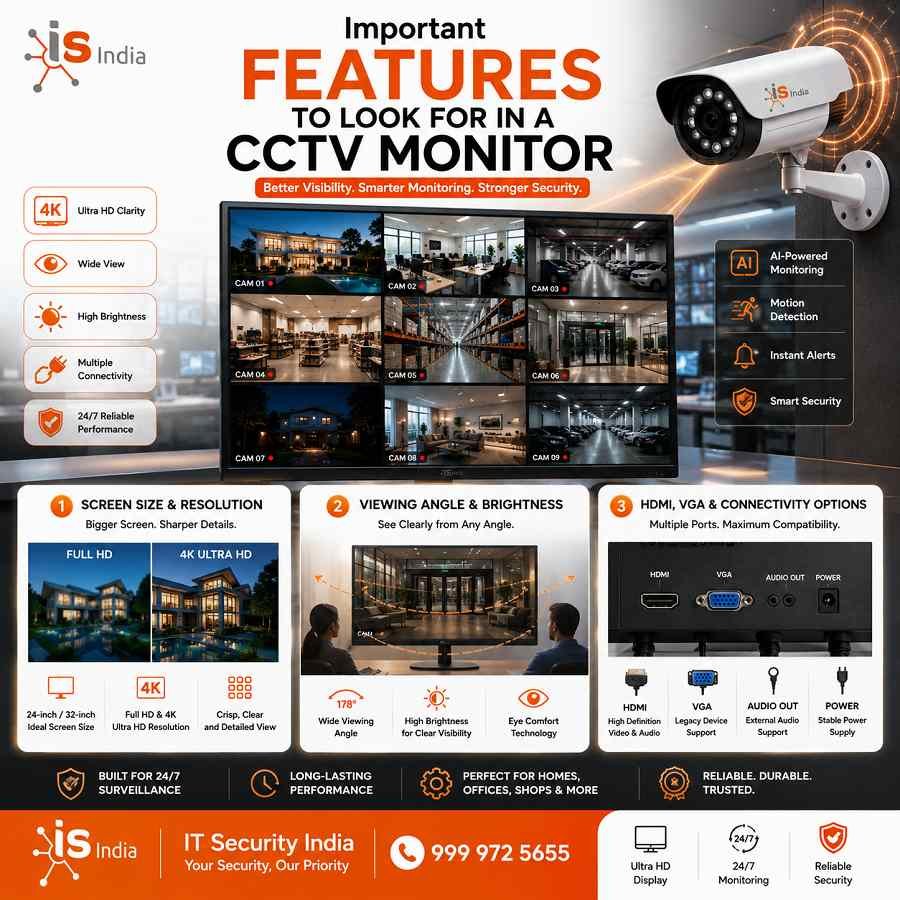
Screen Size and Resolution
For most home CCTV setups, a 24-inch to 32-inch display is enough. Industrial or commercial systems require 40-inch screens or greater. For resolution, you should always select at a minimum Full HD (1920×1080 / 1080p) for normal surveillance. If your cameras support 4K, buy a 4K monitor (3840×2160). This allows you to utilize all resolutions. It will show sharper, clearer images when zooming into the footage you recorded. A minimum refresh rate of 60Hz is recommended for smooth playback. Higher rates are required for setups with fast-motion cameras.
Viewing Angle and Brightness
In a security control room, multiple operators may view the screen from different positions. Choose a monitor with a wide viewing angle of 178 degrees or more. An IPS panel is ideal.
It maintains color and brightness consistency from any angle. For brightness, Samsung’s VHC-R Series commercial monitors deliver up to 700 nits. This ensures a vivid, readable image, even in bright environments. Anti-glare coatings are equally important to prevent reflections from overhead lighting.
HDMI, VGA, and Connectivity Options
Connectivity determines whether your monitor works seamlessly with your DVR or NVR. Look for HDMI and VGA at a minimum, since these are the most common outputs from security recorders. Modern systems also benefit from HDMI 2.1 for 4K at higher frame rates. If you use older analog cameras, make sure the monitor has BNC inputs. You can also use a BNC-to-HDMI converter. Multiple input ports also let you switch between camera feeds without hassle.
Best Types of Monitors for CCTV Camera Systems
LED Monitors for Home CCTV
The LED-backlit LCD monitor is the most sought-after option for home security systems. They are efficient in energy and cost-effective. They usually last for around 100,000 hours. This is roughly 5-11 years of continuous usage. A 24-inch Full HD LED monitor with HDMI input is perfect for a home with a four-camera system. Brands such as LG and Acer offer highly rated models. They offer a balance between cost, image quality, and long-term stability for home surveillance.
24/7 Professional Surveillance Monitors for Businesses
Businesses need monitors made for 24/7 use. They should have an MTBF of 50,000 hours or more. These commercial-grade displays include Anti-Burn-in technology to prevent image ghosting from static multi-camera grids. They also offer surveillance-calibrated gamma settings for better low-light and IR camera detail. EMI shielding blocks signal interference from nearby equipment. For command centres, retail chains, and warehouses, a 32-inch or larger 4K commercial monitor is the standard.
How to Choose the Right Monitor Based on Your CCTV Setup
Best Monitor Size for 4, 8, and 16 Camera Systems
For a home system with 4 cameras, a 24-inch Full HD monitor is fully sufficient. For 8 CCTV camera systems used in small offices or shops, a 27-inch or 32-inch display provides the most comfortable, clear split-screen view. For setups that use 16 cameras in factories, warehouses, or large commercial spaces, a 40-inch or 43-inch 4K monitor is ideal. It helps keep every feed clear and helps reduce eye strain when you are working on long shifts.
Monitor Selection for Home, Office, Shop, and Warehouse
Home users can depend on a standard 24″ 1080p LED display that is connected to their DVR through HDMI. Small retail stores and offices benefit from a 27-inch IPS monitor with multi-input capabilities, supporting both NVR output and occasional PC use. Warehouses and industrial facilities should consider an oversized 32-inch commercial display. It should be suitable for use 24/7. Pick a product with a wide viewing angle. Make sure it is compatible with a VESA wall mount. It should be mounted at a safe level and one that is comfortable for you.
Common Mistakes to Avoid When Buying a CCTV Monitor
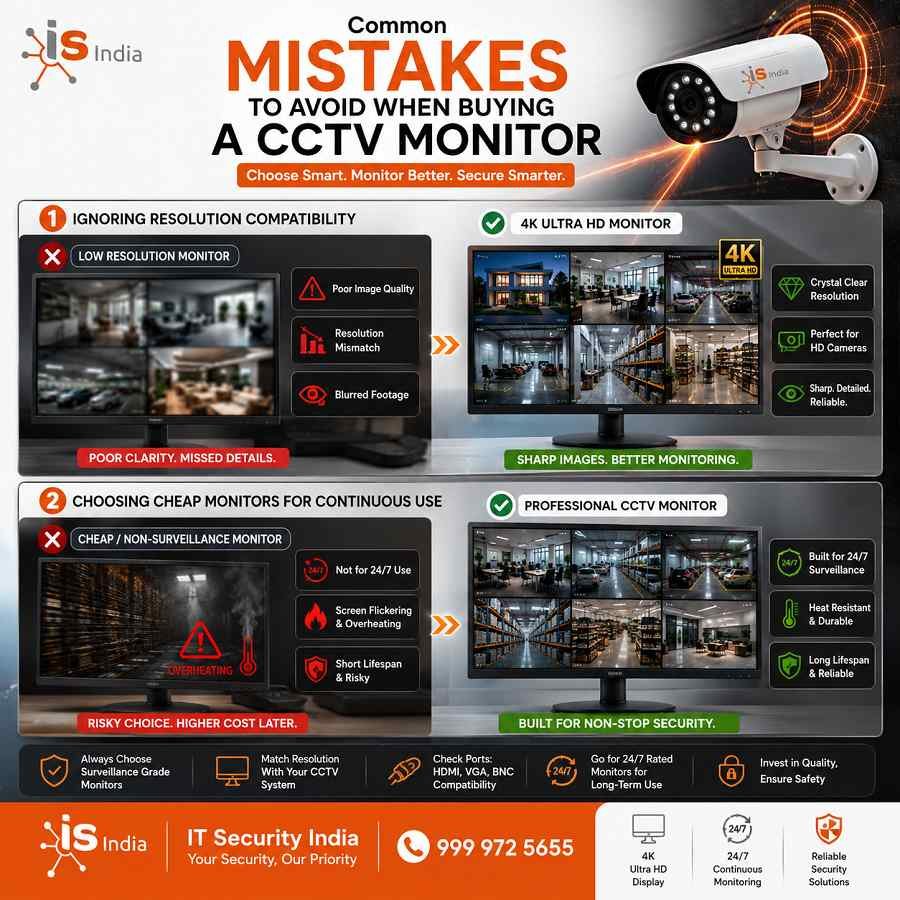
Ignoring Resolution Compatibility
One of the biggest mistakes buyers make is buying the highest-resolution monitor. They make this purchase without checking the resolution of their NVR or DVR first. If the recorder is only capable of outputting 1080p, then a 4K display does not enhance the footage. It simply scales images, which can cause blurring. Make sure your monitor, camera, and recorder have the same resolution to get the best possible image.
Choosing Cheap Monitors for Continuous Use
Using a consumer monitor priced low for 24/7 CCTV monitoring is a waste of money. Consumer monitors are not designed to be used 24/7. They may suffer from backlight wear, burning-in caused by overlays on the camera grid, or early component failure. The cost of replacements will frequently be much greater than what you initially saved. Make sure you purchase an LCD monitor designed to operate continuously if your system runs both at night and during the day.
Best Monitor Brands for CCTV Surveillance Systems
LG, Samsung, Dell, and Hikvision Monitors
Samsung is the best choice for CCTV monitors. It has models ranging from 27 to 32 inches suitable for controlling rooms. There are also larger models, up to 46 inches, for wall-mounted surveillance. The monitors are incredibly colorful and high resolution. LG monitors are IPS panels with wide viewing angles. They are ideal for security desks with multiple operators. Dell provides reliable, commercial-grade displays built to last. Hikvision creates monitors for 24 hours a day and CCTV applications featuring high refresh rates. This makes it a preferred name among security integrators in India.
Commercial vs Consumer Display Monitors
Commercial displays are designed for long-term, reliable use in institutions. Consumer monitors focus on aesthetics and are designed for daily use. For any CCTV usage beyond home use, commercial displays are the best option. Longer warranties back them. They provide on-site services. Firmware updates keep them up to date with the latest security technologies for several years.
Final Thoughts – Which CCTV Monitor is Best for You?
Recommended Monitor Setup for Better Security Monitoring
For most home users with a larger screen, a 24-inch Full HD LED monitor from LG or Samsung is a great place to start. Connect the monitor to your DVR with HDMI. For small shops and small businesses, a 27-inch commercial monitor is the best option. It has clear, crisp, and sharp images. It also offers high value for money. It offers a variety of input options. For warehouses, large offices, or command centres, a 32-inch or 43-inch commercial 4K display is the standard. Select a display with the 24/7 certification to safeguard your investment and property.
Budget vs Premium CCTV Display Options
Budget-friendly options within the Rs5,000-15,000 range can be effective. The basic 24-inch Full HD LED monitors are perfect for a small home system. They are suitable for light-duty monitoring. Options in the middle range, from Rs15,000 to Rs40,000, consist of 27- to 32-inch IPS monitors.
Some commercial monitors meet the requirements of most businesses. The premium surveillance monitors start at Rs40,000 and increase from there. They feature 4K resolution and 24/7 operation. They come with Anti-Burn-In technology and multiple-year commercial warranties. These are features that work well in high-security areas where equipment reliability is a must.
📞 Get the Best Price on CCTV Monitors — Call IT Security India at 999 972 5655
IT Security India offers great prices on all types of CCTV monitors. It includes budget LED screens for home setups. It also includes commercial 4K surveillance displays for businesses. Our security experts will help you choose the right monitor for your camera count, site, and budget. Don’t waste money on the wrong display. Call us now at 999 972 5655. Place your order today with confidence.
FAQs – Best Monitor for CCTV Camera Systems – Complete Buying Guide
Do I need a special monitor for CCTV?
Yes. Surveillance monitors are made for 24/7 use. They have commercial-grade parts, anti-burn-in protection, and accurate color. Most regular consumer monitors do not have these features.
What screen size and resolution should I choose?
For home (4 cameras) pick 24″–32″ Full HD (1080p). For 8-camera shops/offices choose 27″–32″. For 16+ camera commercial setups, use 40″–43″ 4K to keep all feeds readable.
Which connectivity ports are essential?
Ensure HDMI and VGA at a minimum; HDMI 2.1 is recommended for 4K high-frame-rate feeds. For analog cameras, use BNC or a BNC-to-HDMI converter.
How important are viewing angle and brightness?
Very important. Choose an IPS panel with a viewing angle of about 178 °. Pick high brightness (several hundred nits) and an anti-glare coating. This helps multiple operators see clear, accurate images.
What monitor features matter for business/command centers?
Look for MTBF ratings of 50,000+ hours. Check for anti-burn-in features. Use gamma tuned for surveillance for better low-light detail. Look for EMI shielding. Choose displays with 24/7 certification to cut downtime and image degradation.