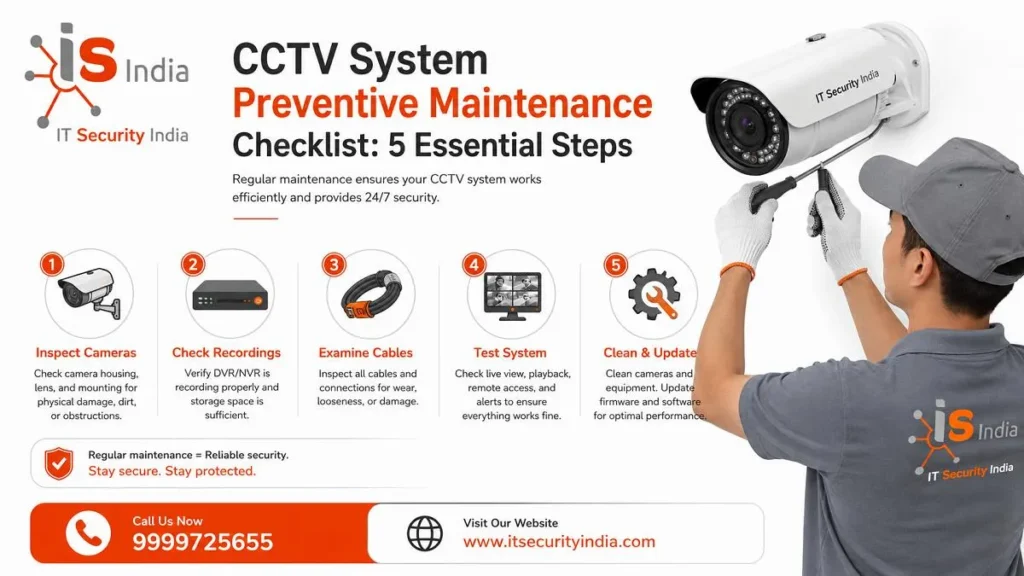
Good CCTV System Preventive Maintenance keeps your cameras recording when you need them most. One guide warns that many users never play back footage for months, then find out the hard drive failed long ago. Regular checks catch such problems early. This five-step checklist covers cameras, wiring, recorders, night vision and updates. If you are in Gurgaon, Manesar, Sohna, Noida, Ghaziabad, or Delhi NCR, IT Security India can help. We offer the best price.
Inspect CCTV Cameras and Video Quality
Start with a simple walk-around. Look for physical damage, wear, or signs of tampering, such as scratches. Confirm each camera still points at the correct area. Test focus, pan, tilt, zoom and infrared, and watch for loss of clarity, poor resolution or flickering images. Also trim vines, trees and bushes that block the view.
Clean Camera Lenses and Check Image Clarity
Dirt blocks part of your footage and lowers image quality. A microfiber towel with a little water or electronics cleaning solution works well. Compressed air can clear dust from hard-to-reach spots. Blow at an angle, so debris is not pushed deeper into the camera. Avoid paper towels, magazines and newspapers, which can scratch the lens.
Advice on alcohol varies. One guide advises keeping alcohol-based products away from the camera. Another guide, however, uses isopropyl alcohol and warns against using ammonia-based glass cleaners. Always check your camera maker’s instruction manual first.
How often should you clean? One checklist says monthly for standard areas. It says weekly for dusty or busy areas. Clear spider webs too, because spiders may build webs all over a lens. Bugs are also drawn to infrared LEDs at night, which is another reason to keep the area around the camera clean.
Check CCTV Wiring and Power Supply
Cables are the lifeline of any system. Check the data and power cable connections. Make sure data transfer and recording stay reliable. Look for fraying and wear, and make sure outdoor wiring and coaxial connectors are properly insulated. Connectors and cable entry points are common problem areas, so check them closely.
Inspect Cables, Connections and Backup Power
Check connectors for corrosion or bent pins. Test signal strength on coaxial and Ethernet runs. Make sure the voltage is within specification. Use a voltmeter to test camera voltage. The wrong voltage can cause frequent camera malfunctions. Make sure that connectors are fastened and that there are no loose wires.
After a storm, recheck the power supply. Check the battery of the UPS to see if it’s fully charged. Test the load on the UPS. Check the battery replacement date to make sure the battery hasn’t been in use too long.
Test that the recording resumes after a simulated power loss. Note battery replacement dates to ensure a weak battery doesn’t catch you off guard.
Test DVR/NVR Recording and Storage
The recorder is the heart of your system, so test it often. One guide points to the NVR’s Storage → Hard Disk menu. A “Normal” status means the drive is detected and seems healthy. The recording schedule should be enabled.
Check Recording Playback and Hard Drive Health
Scrub back through the playback timeline to confirm recent video exists for each channel you expect to record. Another checklist suggests testing playback quality from at least 48 hours earlier.
Check S.M.A.R.T. status at least once a month. It covers temperature, reallocated sectors and overall health. Some NVRs also have a Bad Sector Detect test, where red means damage or failure and the drive should be replaced. Replace the drive if diagnostics show “Caution” or “Bad”, or if you see consistent gaps in footage.
Use a surveillance-rated drive. Standard desktop drives are not made for 24/7 heavy writing. One guide says they may last 6 to 12 months. Surveillance drives may last 5 to 10 years. Also watch free space, and make sure overwrite settings match your retention needs. Be careful with formatting, because it wipes all recordings.
Finally, keep the recorder healthy. Clear dust from ventilation fans and filters, and ensure good ventilation and a UPS.
Test CCTV Night Vision and Remote Monitoring
A camera that looks fine at noon can fail at night, so test both.
Verify Night Vision, Motion Detection and Mobile Access
A checklist states: CCTV Night recordings can show failing IR illuminators. Daytime checks can miss them completely. Test IR illuminators and LEDs. Check image quality in day and night lighting.
Now test motion sensors and detectors. Ensure alerts are shown for the correct zone and/or movement location. Finally, check remote viewing from your phone, tablet or the app and ensure notifications and alerts are working.
Schedule CCTV Maintenance and Software Updates
Create a Maintenance Schedule and Update Firmware
One source recommends cleaning lenses each month (each week in dusty places). Check focus, alignment, and recording quality every three months. Update firmware once a year. They suggest increasing or decreasing the frequency based on the importance of the camera.
Others vary. Quarterly updates are one suggestion. Yearly is another. A third suggests regular firmware updates and checking off update tasks each week or month. Choose the method that works best for you, and record it. Device firmware updates are important. Vendors release device firmware updates to fix security flaws.
These flaws may allow unauthorized remote access or control of devices. For example, firmware updates fixed several security flaws in Hikvision cameras, including CVE-2021-36260. It’s always best to update devices in a timely manner to prevent issues.
Conclusion
CCTV System Preventive Maintenance comes down to five habits. I carefully test cameras, power, and recording systems, as well as check wiring. I test night vision. I am scheduled to do firmware updates and write them down so they take only a few minutes. It’s better to find an issue before it creates a problem.
Get Professional CCTV Maintenance Services
Short on time? Let IT Security India handle your CCTV preventive maintenance at the best price. Get expert checks and hassle-free service.
📞 Call now for the best price & Installation: 999 972 5655 📍 Service Areas: Gurgaon, Manesar, Sohna, Noida, Ghaziabad, Delhi NCR
FAQs – CCTV System Preventive Maintenance Checklist
1. What is CCTV system preventive maintenance?
Yeh regular checks hain jo problems ko failure se pehle pakadte hain. Ek guide ke mutabik, preventive maintenance issues ko escalate hone se pehle detect karne mein madad karta hai.
2. How often should I clean CCTV camera lenses?
Follow a checklist. Do this once a month in a normal setting. Do it more often in dusty areas. Do it more often in public places. Use a microfiber cloth to ensure an even clean and to avoid scratches. Paper towels can scratch the lenses.
3. How do I know if my DVR/NVR is actually recording?
Playback timeline mein peeche scroll karke dekhein. Har expected channel ki recent video maujood honi chahiye. Saath mein hard drive ka status “Normal” hona chahiye.
4. How often should I check the CCTV hard drive?
S.M.A.R.T. status kam se kam mahine mein ek baar check karein. Agar diagnostics mein “Caution” ya “Bad” aaye, to drive replace karein. Agar footage mein lagatar gaps hon, to drive replace karein.
5. Why should I test CCTV night vision?
A checklist can help spot faulty IR illuminators in nighttime recordings. These issues may go unnoticed during daytime checks. Therefore, be sure to test the IR LEDs and compare the image quality for both day and night.