In today’s fast-moving world, security is no longer optional – it’s a necessity. Every homeowner, business owner, and shopkeeper wants to feel safe. They want to monitor their surroundings at any time and from anywhere. That’s where the big question comes: How to connect CCTV Camera to Phone? This easy step lets you check your property on your smartphone. You won’t need to sit in front of a big DVR screen. You can access your CCTV cameras on your mobile, whether you are at home, at work, or travelling. This real-time access improves surveillance and helps you respond quickly in an emergency.
At IT Security India, we are a top CCTV installation company in Gurgaon and Delhi NCR. We make the setup easy and offer great prices. Customers in Gurgaon trust us for reliable video surveillance solutions. We offer the best prices and smooth installation services. Let’s take a step-by-step tour tolearn how to connect a CCTV camera to your phone. We will cover the right tools, troubleshooting tips, and the ease of using mobile apps.
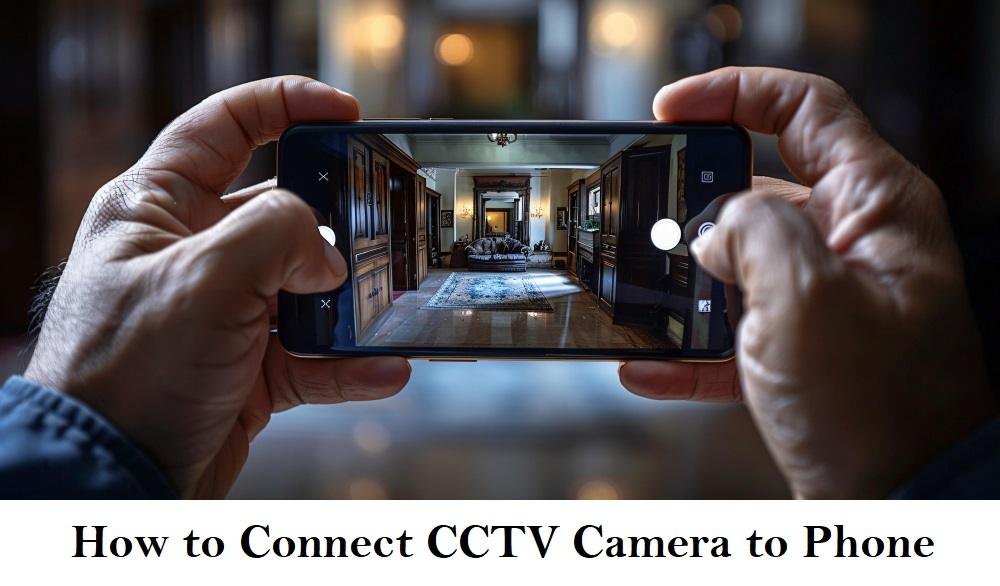
How to Connect CCTV Camera to Phone, NCR Delhi Contact Number + 91 – 999 972 5655
Step-by-Step Guide: How to Connect Your CCTV Camera to Your Smartphone
The good news is that connecting your CCTV camera to your smartphone is easy. Just follow the right steps. Here’s a complete guide:
- Choose the Right CCTV Camera Compatibility. Before you install, make sure your CCTV camera can connect to mobile devices. Most modern IP cameras and DVR/NVR systems are compatible with mobile applications.
- Download the Official Mobile App. Each CCTV brand, like Hikvision, CP Plus, and Dahua, has its own app. Android users can search on the Google Play Store, while iPhone users can install from the App Store.
- – Connect the camera to the internet. You can use Wi-Fi or a LAN cable. Ensure your CCTV system is connected to the internet through a Wi-Fi router or a LAN cable. This ensures it can transmit data outside your local network to your mobile device.
- Register or scan the QR code. Open the CCTV mobile app. Scan the QR code on your camera or DVR. Then, pair it with your account. This step ensures a secure link between your device and your camera.
- Live Streaming and Cloud Access Once paired, you can log in from your phone anytime. You can watch the live feed, view recordings, or control the system based on its features.
At IT Security India, we install and set up CCTV systems on your phone. This way, you avoid any complications. Our technicians help you set up Android and iOS apps. This way, you can manage your property security easily.
Top Apps and Tools to Easily Monitor CCTV Cameras on Your Phone
Monitoring your CCTV cameras from your phone is only as smooth as the app allows. These are the recommended apps widely used in India for Android and iPhone:
- Hik-Connect (Hikvision Cameras) – Reliable streaming, playback, alarm notifications.
- iVMS-4500 – Best for professionals managing multiple Hikvision DVRs/NVRs.
- CP Plus gCMOB / iCMOB – Widely used across India for CP Plus camera models.
- Xmeye is a free app for various smart cameras that work with multiple brands.
- Dahua DMSS – High-end cameras with excellent monitoring options.
- V380 Pro – Simple, user-friendly interface for basic wireless cameras.
Each of these apps offers cloud-based streaming, alarm alerts, recording reviews, and screenshot features. At IT Security India, we recommend reliable apps tailored to your camera model. This helps ensure good connectivity and less downtime.

Troubleshooting Tips for Smooth CCTV to Mobile Connection
Sometimes, users encounter minor issues when connecting CCTV to their mobile phones. To avoid frustration, remember these troubleshooting tips:
- Check Network Connection – Ensure the camera or DVR is connected to a functioning internet connection. Weak Wi-Fi may cause buffering.
- Update the App – Using outdated CCTV apps often causes login or stream issues. Always update to the latest versions.
- Restart the Router and Camera – If the cameras do not show a feed, try rebooting both the router and DVR. This often fixes small issues.
- Check Time & Date – If your phone shows the wrong recording times, update the DVR/NVR time zone.
- Password & Security – Always reset the default password and avoid easy codes like 123456. This prevents unauthorised viewing.
If you still have problems, the IT Security India team offers on-call support. They also provide doorstep service in Gurgaon and NCR to ensure constant surveillance.
How to Connect CCTV Camera to Phone Without Wi-Fi
A common question is whether we can connect a CCTV camera to a phone without Wi-Fi. The answer is yes, but the options depend on the type of camera.
- Local Hotspot Mode – Some CCTV cameras come with built-in hotspot features. When you turn it on, your mobile connects directly to the camera network without needing Wi-Fi.
- You can connect wired systems to your mobile using an OTG or a LAN to USB adapter. This allows for direct access.
- 3G, 4G, and 5G SIM-based CCTV cameras are modern cameras. They have SIM slots and connect directly to mobile networks. These are perfect for remote sites without broadband.
At IT Security India, we suggest using hotspot-support or 4G-enabled IP cameras. This is best if your location lacks Wi-Fi service.
How to Connect Wireless CCTV Camera to Mobile Phone
Wireless cameras are very popular for homes, shops, and small offices. They are compact, easy to install, and don’t need messy wiring. Here’s how to connect them to your phone:
- Install the wireless camera near your Wi-Fi router.
- Download its compatible mobile app.
- Use “Add device” and select the wireless option.
- Enter your Wi-Fi username and password in the app.
- The camera restarts and begins streaming directly on the phone.
Within minutes, you’re ready to view everything in HD clarity. At IT Security India, we offer the latest wireless CCTV cameras in Gurgaon. Our prices start at just ₹1,200 per month for rental or affordable purchase options.
CCTV Camera Connect to Mobile App Android
Android phone users can use many apps to connect their CCTV cameras easily. The setup process usually involves:
- Download the official app from the Google Play Store.
- You can add a camera by scanning a QR code or by entering the device’s serial number.
- Configuring notification settings for motion alerts, night-vision alerts, or alarm triggers.
- Syncing with Google Drive or other storage is an optional feature in some brands for backups.
IT Security India technicians are experts in installing CCTV mobile apps for Android in Gurgaon. Whether you need a simple 2-camera setup for home or a 32-camera system for the office, we make it easy. You can control everything with your Android device.
Why Choose IT Security India for CCTV Connectivity in Gurgaon?
When you need CCTV installation and smartphone connectivity, choosing the right partner is crucial. Here is why customers in Gurgaon and Delhi NCR choose IT Security India:
- Best price guarantee on IP and wireless security cameras.
- Get a free mobile app setup with every installation.
- Professional technicians available 24/7 across Gurgaon
- Remote support for troubleshooting mobile connectivity issues
- Wide range of cameras: Dome, Bullet, Wireless, IP, 4G-enabled models
- Quick delivery and installation within 24 hours
Our basic CCTV camera package in Gurgaon starts at only ₹999 per camera. This price includes installation. For mobile CCTV kits, packages begin at ₹3,500. This includes two wireless cameras that work with Android or iOS.
Pricing Table – CCTV Connection Services in Gurgaon
| Service Type | Starting Price (₹) | Details Included |
|---|---|---|
| Basic CCTV Installation | 499 per camera | Wired installation + DVR setup |
| Wireless CCTV Package (2 Cameras) | 3,500 | Wi-Fi installation + Android/iOS app setup |
| SIM-Based CCTV Camera (4G enabled) | 4,999 | Camera, SIM slot, mobile access included |
| Mobile App Re-Configuration Support | 499 | Troubleshooting, password reset, upgrades |
| Annual Maintenance Contract (AMC) | 1,999 onwards | Software + Hardware support for 12 months |
For a family home or small office in Gurgaon, you can get 4 wireless cameras for ₹3,500 each. The total cost will be ₹14,000. This price includes installation and mobile app setup.
FAQs – How to Connect CCTV Camera to Phone
Q1. Can I connect my CCTV camera to my smartphone without Wi-Fi?
Yes. Some CCTV cameras have hotspot features or 4G SIM support. This lets you connect directly to your mobile phone without Wi-Fi. IT Security India offers hotspot and SIM-based CCTV camera models in Gurgaon at great prices.
Q2. Which is the best app to connect CCTV camera to Android phones?
Popular apps include Hik-Connect, CP Plus gCMOB, iVMS-4500, Dahua DMSS, and V380 Pro. The choice depends on your camera brand. Our technicians at IT Security India recommend and set up the best app suitable for your system.
Q3. Is connecting a CCTV camera to my phone secure?
Yes, it is safe if you use official apps and strong passwords. We suggest changing the default login details. Also, turn on two-factor authentication for better security.
Q4. What should I do if my CCTV camera is not showing on my phone?
First, check if your internet connection and app version are updated. Restart your DVR/NVR and router. If the problem keeps happening, you can contact IT Security India for help. They have support in Gurgaon and Delhi NCR.
Q5. How much does it cost to install CCTV cameras with mobile connectivity in Gurgaon?
Prices start as low as ₹999 per camera for basic installation. Wireless CCTV packages with mobile app setup begin from ₹3,500. IT Security India ensures affordable pricing with professional service.
Q6. Can I watch my CCTV cameras when I’m outside India?
Yes, if your CCTV system is connected to the internet, you can watch it from anywhere in the world using your smartphone app. Our team ensures your setup is properly configured for international access.
Q7. Do I need technical knowledge to connect CCTV cameras to my phone?
Not at all. The process is simplified with QR code scanning and step-by-step app instructions. To make it easy for you, IT Security India technicians will set everything up. You can just log in and monitor right away.
Conclusion
Connecting your CCTV camera to your mobile is a great way to monitor your house. With modern technology, you can use Wi-Fi CCTV cameras, wireless cameras, or SIM-based CCTV to watch live footage on your phone. With easy instructions and troubleshooting tips, anyone can set up surveillance in just a few minutes. For busy business owners and professionals in Gurgaon, the best solution is to let experts handle the entire process. IT Security India offers reliable CCTV installation, mobile connectivity, and long-term maintenance at great prices.
Our experts ensure that your cameras work well with your Android and iOS devices for 24/7 security. If you want quick installation, low prices, and reliable service, call us today. Let IT Security India protect your home and office. We can help you connect your CCTV cameras to your phone easily.