Safety at school is more important than ever before. With over 300,000 crimes reported at schools each year, an effective school CCTV camera system is crucial. This comprehensive guide will cover everything. It will help you select the appropriate cameras (dome or bullet, PTZ). It also provides information on best practices for installing them, FERPA compliance, and maintenance. If you’re looking to upgrade security or put in a new security system, IT Security India (999-972-5655) can assist. They have affordable prices and professional guidance for schools within Gurgaon. Let’s create safer learning environments by working together.
Why CCTV Cameras Are Important in Schools
Enhancing Student and Staff Safety
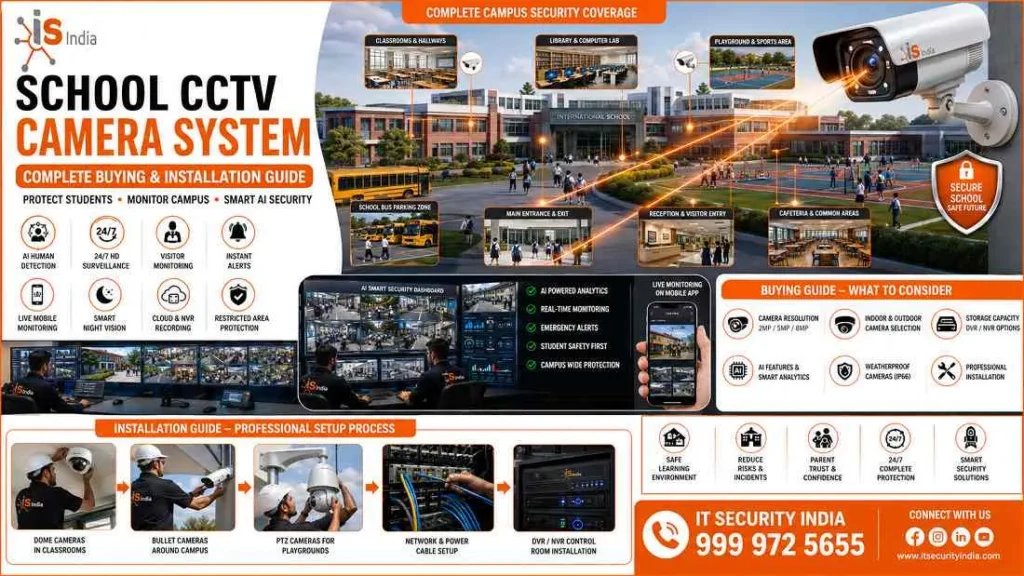
A School CCTV Camera System provides strong security and allows real-time monitoring of entrances, hallways, and common areas. Educational institutions today face new safety challenges. In 2022-23, 67% of public schools reported at least one violent incident. Installing CCTV cameras can deter misconduct and crime. They also help prevent incidents and support response and investigations. These systems help administrators and security staff monitor campus activities without being there all the time. This supports faster responses to emerging threats.
Preventing Unauthorized Access and Incidents
Placing cameras at entry points helps security staff confirm that people entering are authorized. This creates powerful synergies between physical access control and video surveillance. Cameras at entrances, exits, and school perimeters help stop unauthorized access. They help ensure only approved staff and visitors are on campus. By linking CCTV with access control systems, schools can track who enters and exits in real time.
Benefits of CCTV Cameras in School
24/7 Campus Surveillance
Modern School CCTV Camera System solutions enable emergency preparedness with continuous real-time monitoring. Cloud-based surveillance systems let you share live footage with authorities and first responders. This helps speed up emergency response. This 24/7 monitoring provides clear awareness of school activities. It helps administrators track daily operations and spot unusual activity across campus.
Improved Discipline and Incident Investigation
According to Campus Safety Magazine, nearly one in three schools reported that their school CCTV camera system often prevents crime. Recorded video provides clear proof for administrators, school security teams, and law enforcement.
It helps in cases like fights, theft, or property damage. Visible security cameras help prevent bullying, vandalism, theft, and other misconduct. They also help keep learning environments respectful and orderly.
Types of CCTV Cameras for Schools
Dome, Bullet and PTZ Cameras
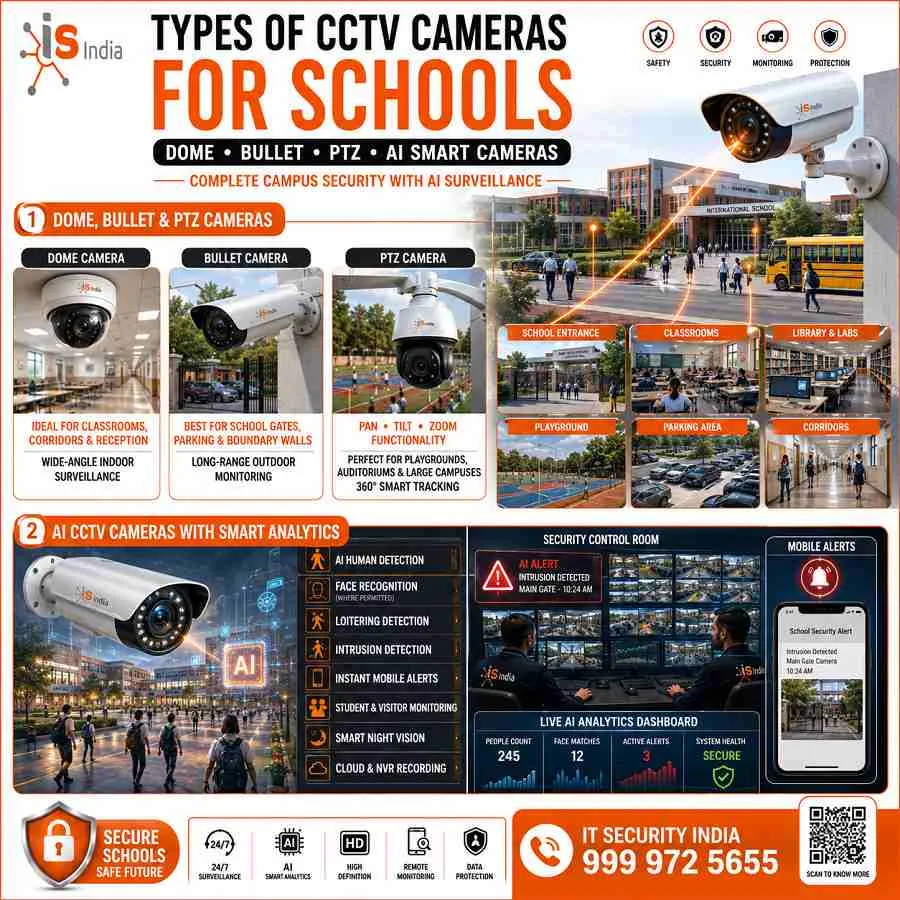
Effective School CCTV Camera System deployments use a combination of camera types. Fixed dome cameras work well in indoor corridors and at entry points.
Their tamper-resistant design and low-profile look make them a popular choice. Bullet cameras with infrared night vision work well for fence lines, playgrounds, and building exteriors. PTZ (Pan-Tilt-Zoom) cameras work well in large outdoor areas like parking lots and athletic fields. They offer zoom, auto-tracking, and flexible monitoring. One PTZ can replace 5 to 10 fixed cameras.
AI CCTV Cameras with Smart Analytics
Modern school CCTV Camera systems are now using AI analytics to identify suspicious behaviors. This is a way to in preventing security risks. Schools can upgrade their IP cameras with the latest AI software. There is no need to replace everything. This provides a cost-effective option to improve. The smart systems are able to detect hazards, dangers and suspicious activities. They also monitor equipment to determine requirements for maintenance.
Key Areas to Install CCTV Cameras in School
Classrooms, Corridors and Entrances
A well-planned School CCTV Camera system will include the entrances and exits. Utilize multi-angle mounting to capture clear images of faces. Hallways and corridors need ceiling or wall mounts that are high to avoid being altered. Entrances must be free of any blind spots that are caused by views that overlap. The majority of schools do not display rooms inside to preserve privacy. They concentrate on places where incidents tend to occur.
Playgrounds, Parking Areas and School Buses
Outdoor areas need cameras that are weatherproof and the right size. They should be placed 12 to 15 feet above the ground to cover the playground’s perimeter. Use 10-12 feet for bus loop monitoring. Parking garages have the benefit of fixed cameras as well as PTZ units. This configuration helps to guard large areas and shields the vehicles and students from vandalism and theft.
How to Choose the Right School CCTV Camera System
Camera Resolution, Night Vision and Storage
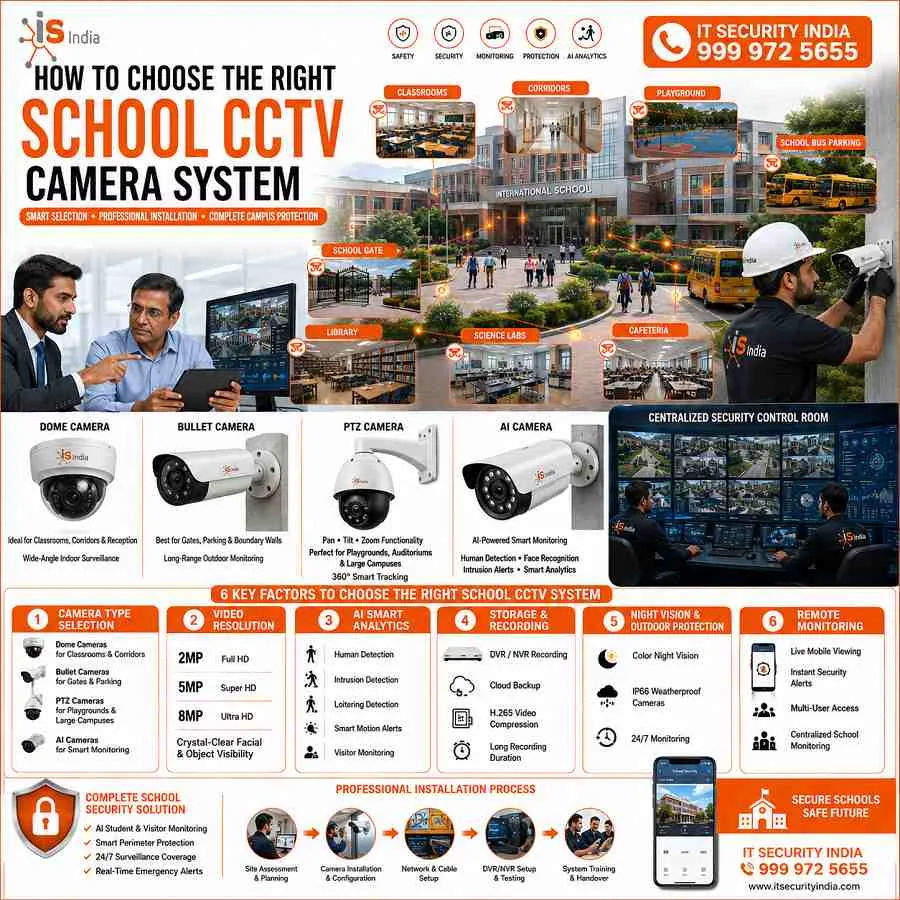
NVR systems offer better video quality with 4K resolution and night vision up to 98 feet. DVR systems are usually limited to 2K resolution. For a school CCTV camera system, higher resolution helps identify faces clearly and capture strong evidence. Modern systems support advanced features like intelligent video encoding to optimize bandwidth usage.
DVR vs NVR Systems for Educational Institutions
DVR systems are cost-effective for schools with existing analog infrastructure. They work as closed systems that protect sensitive student data. However, NVR systems with PoE (Power over Ethernet) offer clear advantages. A single Ethernet cable carries power and data. This reduces installation complexity and supports cable runs over 300 feet. NVR systems scale better as School CCTV Camera System deployments grow. They also support higher-resolution cameras.
School CCTV Camera Installation Guide
Best Camera Placement for Maximum Coverage
Professional installation of a school CCTV camera system needs careful camera placement. Mount cameras high to reduce tampering risk. Use overlapping views to remove dark corners. Best practices include clear signs that tell the school community that monitoring is active.
Network Setup, Power Backup and Cable Management
The management of cables is crucial. Do not run cables through the same conduit that is used for building power lines. This could degrade video signals. Cables should be shielded from direct sunlight via the conduit or outside raceway. The Uninterruptible Power Supply (UPS) and battery backups keep your school’s CCTV camera system running during power outages. They can prevent security breaches in the event of an emergency.
Maintenance and Best Practices
Regular Camera Inspection and System Updates
Extend your school CCTV Camera system’s lifespan with regular maintenance. Clean camera lenses each month. Inspect wiring connections every quarter. Schedule professional system audits twice a year. Scheduled checks detect potential issues before they become significant failures.
Data Storage, Backup and Privacy Compliance
Most schools store footage for 30 to 90 days; Texas requires a six-month retention period. FERPA compliance is vital. Secure encryption ensures that only authorized personnel have access to footage. Face-blurring technology ensures the privacy of students. Written policies should set the retention period. They should also define access rules and redaction steps. Schools should post “CCTV in Use” signs. They should place cameras only in common areas.
Conclusion
Build a Safer Learning Environment with a Reliable School CCTV Camera System
Installing a full school CCTV camera system helps protect staff, students, and buildings. It also helps meet legal requirements. Between 2009 and 2020, CCTV usage in public schools increased from 61 percent to 91 percent. This is a sign of the growing popularity of surveillance as a tool for safety.
IT Security India designs and installs professional school CCTV camera systems across the Gurgaon region. We offer the best price for school security solutions. We combine premium hardware with expert installation and ongoing support. Our systems connect dome, bullet, and PTZ cameras with AI analytics. They include secure storage, UPS backup, and FERPA-compliant data management.
Contact IT Security India today at 999-972-5655 for a free security assessment and quote. Let us help your school create a safer learning environment with a reliable, affordable, future-ready surveillance solution. Get the best price at IT Security India. Student safety should not suffer due to tight budgets.
FAQs – School CCTV Camera System – Complete Buying and Installation Guide
What areas of a school should be covered by CCTV?
Cover main entrances and exits, reception, and corridors. Cover common areas like the cafeteria and library. Cover playgrounds, parking areas, and bus loading zones. Avoid cameras inside classrooms or restrooms to protect privacy.
Dome, bullet, or PTZ — which camera type is best for schools?
Use a mix.
Use dome cameras in indoor corridors for tamper resistance.
Use bullet cameras outdoors for long-range views and night vision.
Use PTZ cameras in large outdoor areas, like parking lots or fields, for active tracking.
Should we choose DVR or NVR?
Choose NVR (IP/PoE) for new installations or scalability and higher resolutions (4K). DVR suits schools with existing analog cameras to save costs.
How long should we retain footage and how do we stay FERPA-compliant?
Retention commonly ranges from 30 to 90 days (some states require longer). Define a retention policy.
Encrypt stored data.
Restrict access.
Log all access.
Redact or blur student faces when sharing footage.
This helps comply with FERPA and privacy rules.
Can we add AI analytics to our existing cameras?
Yes. Many AI analytics tools work with current IP cameras or edge devices. They can detect objects and send loitering alerts. They can also notify you about perimeter breaches.
What power and network considerations are important?
Use PoE for simpler cabling. Keep CCTV data separate from building power runs. Install a UPS or battery backup for recorders and key cameras. Ensure enough bandwidth and VLAN segmentation for video traffic.
How often should the system be maintained?
Perform monthly lens cleaning. Inspect wiring and connections every three months. Schedule professional audits and firmware and security updates twice a year.